Classroom focus for Chromebook and WindowsGet the classroom back.
One tap: .
The whole product is three buttons.
60-day pilot for up to 600 students.
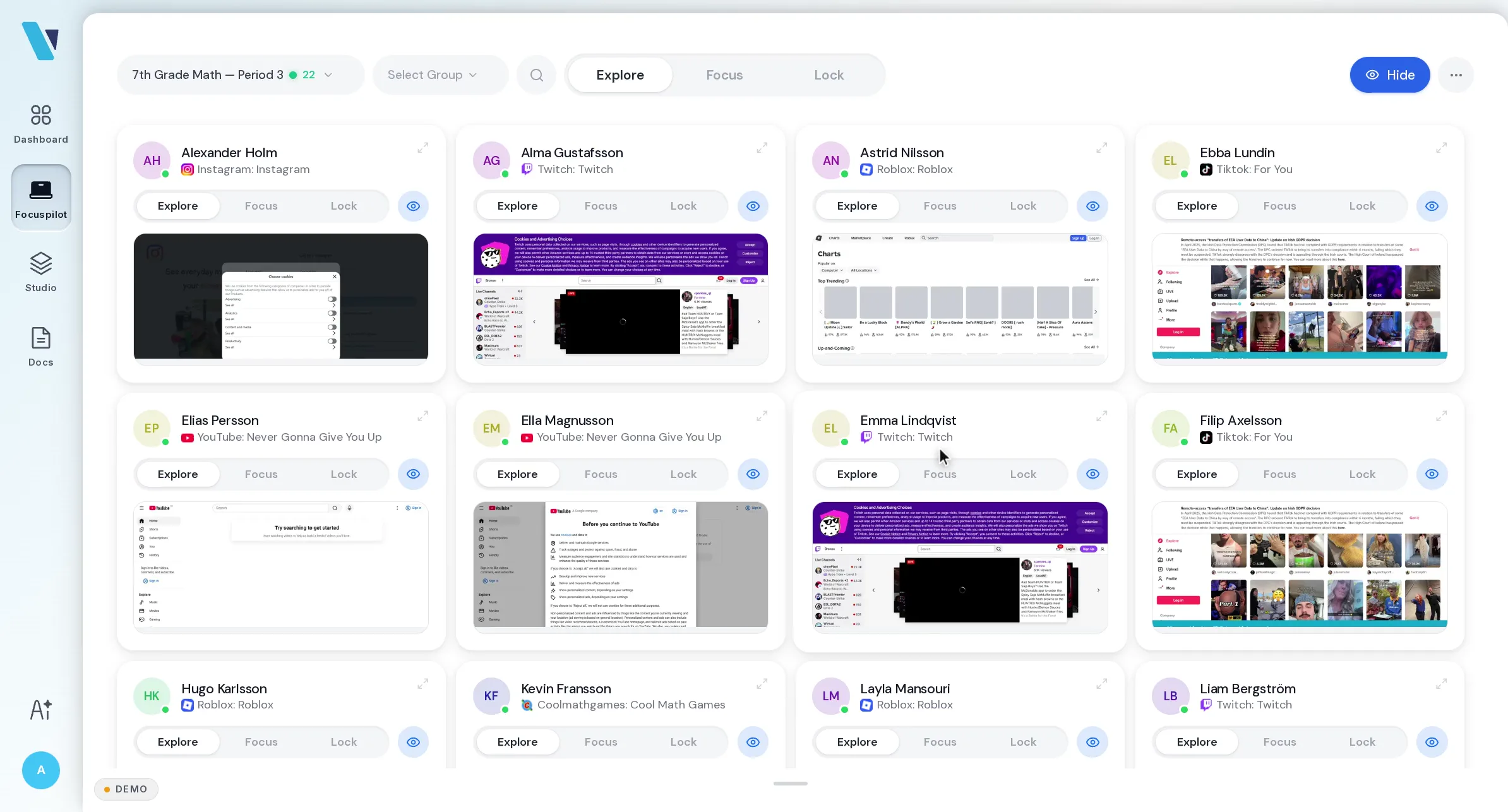


One system for the classroom. Three modes set the lesson. The schedule runs it. AI handles the rest.
Three modes. That's the product. Click a mode. Every student device follows.
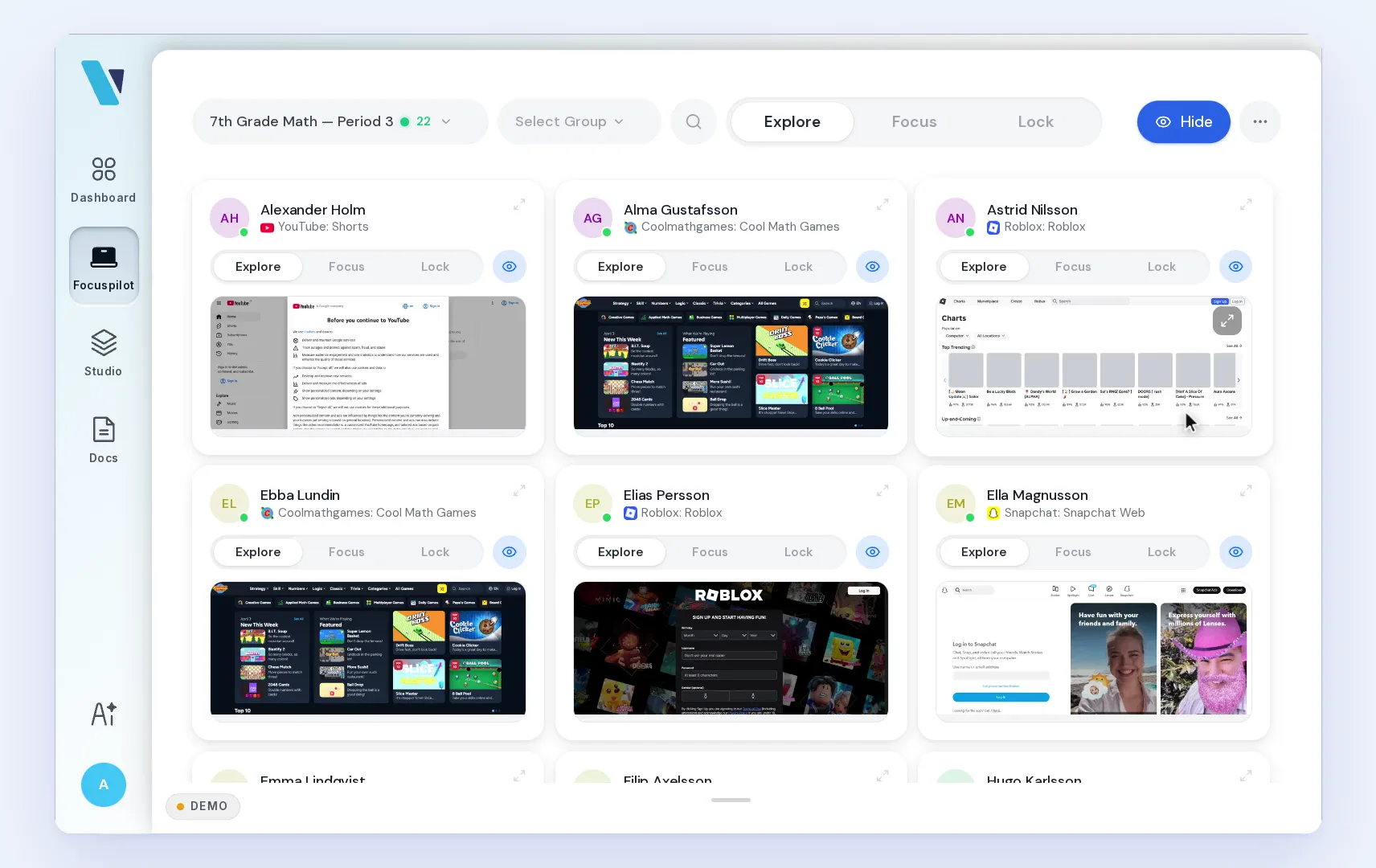
Schedule a mode on any lesson. It fires at the bell. Drop a mode onto a calendar lesson. It fires at the bell, same for the whole class. No clicks at 09:15.
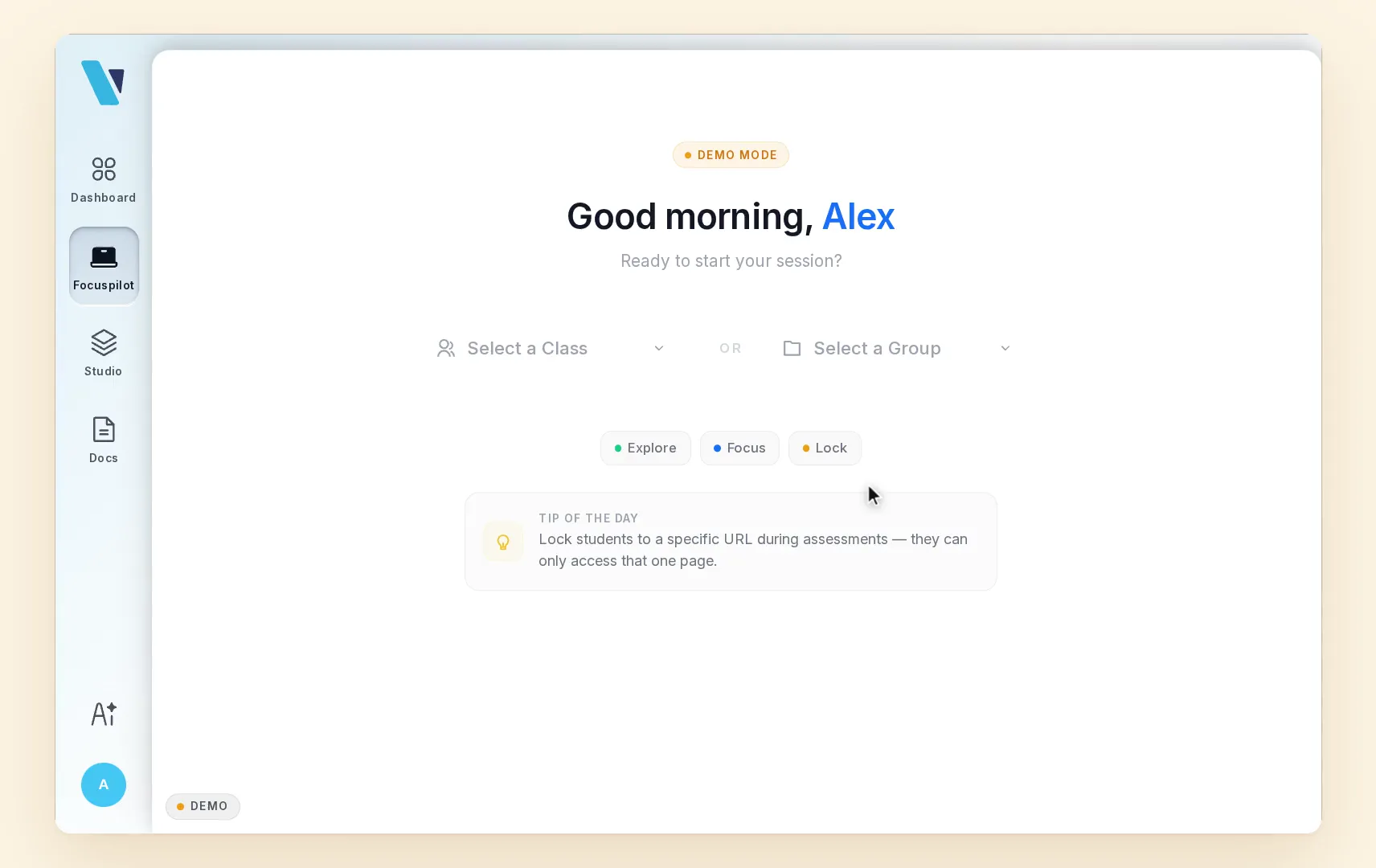
When three buttons aren't enough, Three buttons cover ninety percent of the year. For the rest, the AI is your shortcut. No menus. No settings hunt. Type what you want.
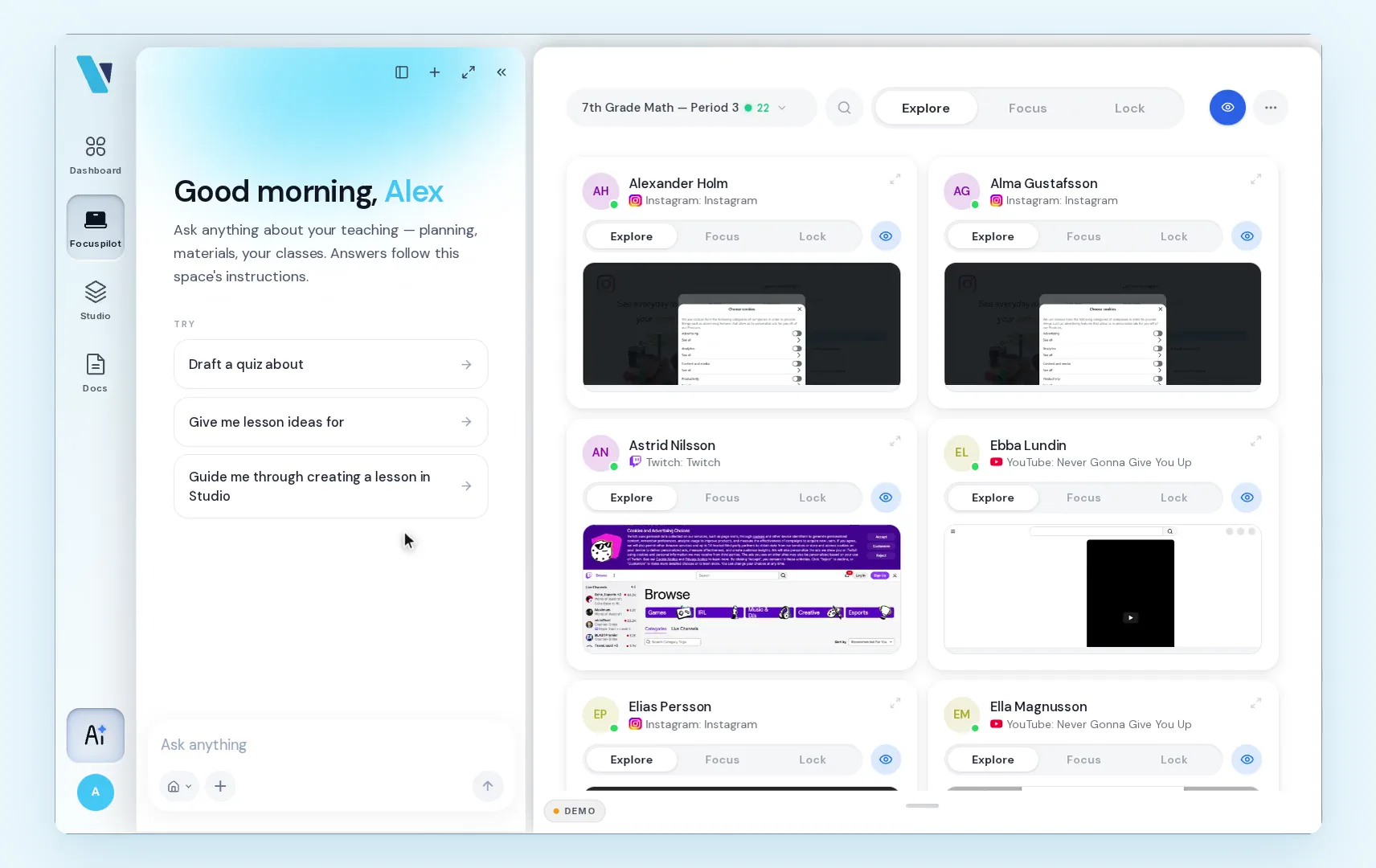
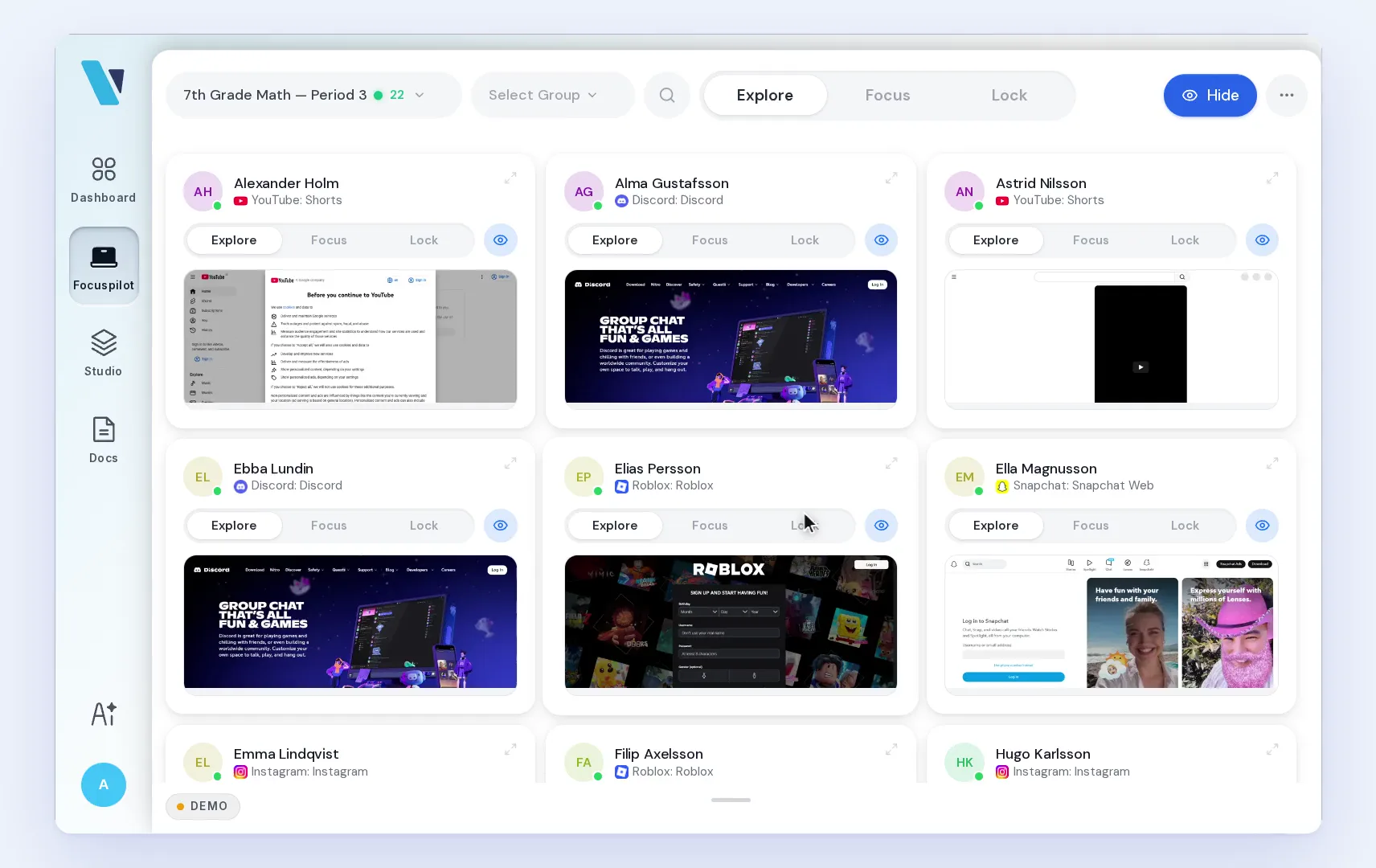
Every screen, live. Spot the student on Roblox, open their screen, send a quiet nudge — or focus just the ones who drifted. The lesson keeps moving.
For principals and IT
The whole school. One panel.


Live in one afternoon.
Deployed centrally via Google Admin and Intune, no per-device setup.
Import the whole school.
Users and classes from one spreadsheet. A guided checklist takes you live.
Pick the rules once.
School hours, per-class rules, custom domains — enforced on every device.
The blocklist updates itself.
Bypass tools, cheating sites and new threats, caught centrally.
GDPR by default.
Our servers run in the Netherlands (Railway), our databases in Frankfurt (Neon), the web app in Stockholm (Vercel), and all AI on Microsoft Azure in the EU.
How do you handle GDPR for Swedish schools?
Viafocus is built in Sweden and runs on servers in the EU. Our servers run in the Netherlands (Railway), our databases in Frankfurt (Neon), the web app in Stockholm (Vercel), and all AI on Microsoft Azure in the EU. Every sub-processor is named with its location in a public list. The school keeps full data ownership. A data processing agreement is signed before a pilot starts.
How are you different from GoGuardian or Securly?
Viafocus is built in Sweden for Swedish schools, Swedish-first, EU-hosted, aligned with Skolverket and Lgr22. The American tools are built for American regulation. We solve the general problem of teachers losing contact with the class, not a slice of it.
“Without this, it just isn’t possible to teach with computers.”
Nancy
Teacher at Algebraskolan
Common questions
Frequently asked questions
Everything principals and IT directors typically ask before deploying.
More questions?
Talk to our teamThe teacher gets a calm real-time overview of the class. You see which students are in the task and which have drifted, and can go to the right student at the right moment. It is not about punishing or watching, it is about helping in the moment.
Viafocus is built in Sweden and runs on servers in the EU. Our servers run in the Netherlands (Railway), our databases in Frankfurt (Neon), the web app in Stockholm (Vercel), and all AI on Microsoft Azure in the EU. Every sub-processor is named with its location in a public list. The school keeps full data ownership. A data processing agreement is signed before a pilot starts.
Yes. The teacher sets the mode for the whole class, a group, or a single student, live or scheduled. The modes are Explore (open), Focus (only what belongs to the lesson), and Lock (a single page).
Chromebook and Windows, whatever the school already has. Students install nothing. Onboarding typically takes about an hour.
Viafocus is built in Sweden for Swedish schools, Swedish-first, EU-hosted, aligned with Skolverket and Lgr22. The American tools are built for American regulation. We solve the general problem of teachers losing contact with the class, not a slice of it.
You register the school, and the pilot starts the same day. It is 60 days, free, for up to 600 students and their teachers. After 60 days we talk. If you say no, we say thank you and good luck.
What is Viafocus?
Viafocus is a Swedish tool for teacher-led digital focus in K–12 schools. One platform for focus, lessons and teaching.
It brings together the teacher's view of the lesson (Focuspilot), AI-powered lesson authoring (Studio) and a teaching assistant (Teaching Copilot) in one system, built around Swedish classrooms, GDPR and the Swedish curriculum.
- Focuspilot
- The teacher's view of the lesson. See how the class is working on Chromebook and Windows, guide a pupil back in one click, and switch between Explore, Focus and Lock.
- Studio
- AI-powered lesson builder. Turn any text or topic into a ready-to-teach interactive lesson in minutes, with drag and drop, sliders, quizzes, and more.
- Teaching Copilot
- Classroom AI assistant built into the teacher dashboard. Plans lessons, drafts feedback and sums up where the class is for the teacher.
Built for everyone in the classroom
Focuspilot for focus in class, Studio for lessons and quizzes, digital exams in a locked mode, and what a school needs to know.
Teachers lost eye contact with the class. We give it back.
See the difference in a single lesson. Up and running in one afternoon.